AWS Cold Start
AWS offers technologies for running code, managing data, and integrating applications all without managing servers. Serverless technologies feature automatic scaling, built-in high availability, and a pay-for-use billing model to increase agility and optimize costs. Now, when dealing with the AWS ecosystem, there is every chance that you may use lambda functions. With AWS Lambda, the cold start problem automatically comes into the picture, damaging the user experience.
A cold start is common when a function is called for the first time after deployment as its container takes time to form. The process causes a few seconds delay, hampering an application’s productivity. A common problem associated with AWS Lambda is that it takes initial setup time in serverless app development slowing the Lambda function and disrupting the user experience.
There are various ways to prevent the cold starts while invoking AWS Lambda functions. In our case, we are scheduling to trigger the Lambda function at a specific time interval.
AWS Lambda supports cron expressions for frequencies of up to once per minute. Using this expression, we can schedule the trigger of Lambda functions.
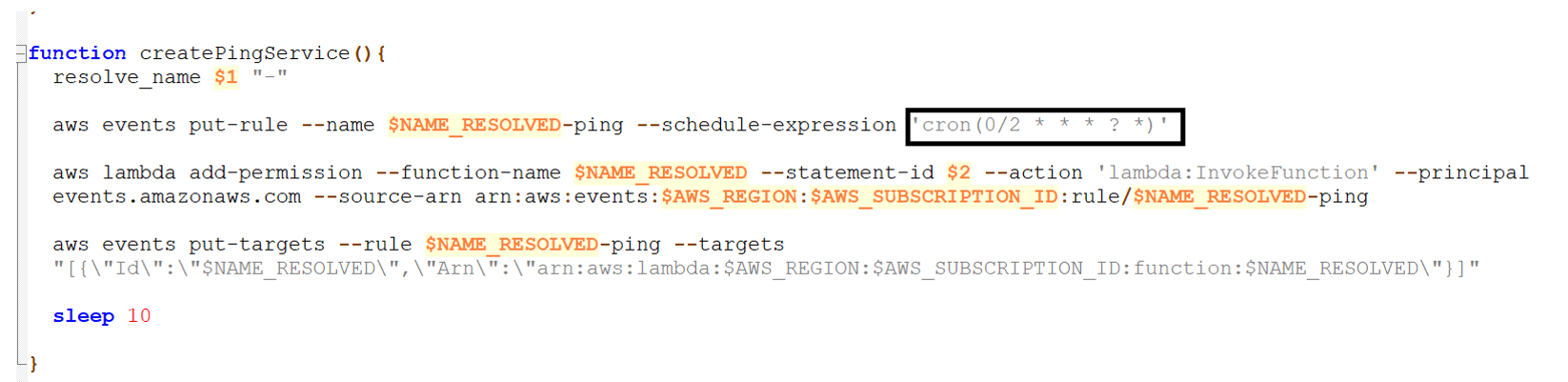
The function "createPingService" in "install-helper-functions.sh" is responsible for creating the Cloud Watch Events. The cron expression can be changed in the same function as shown below.
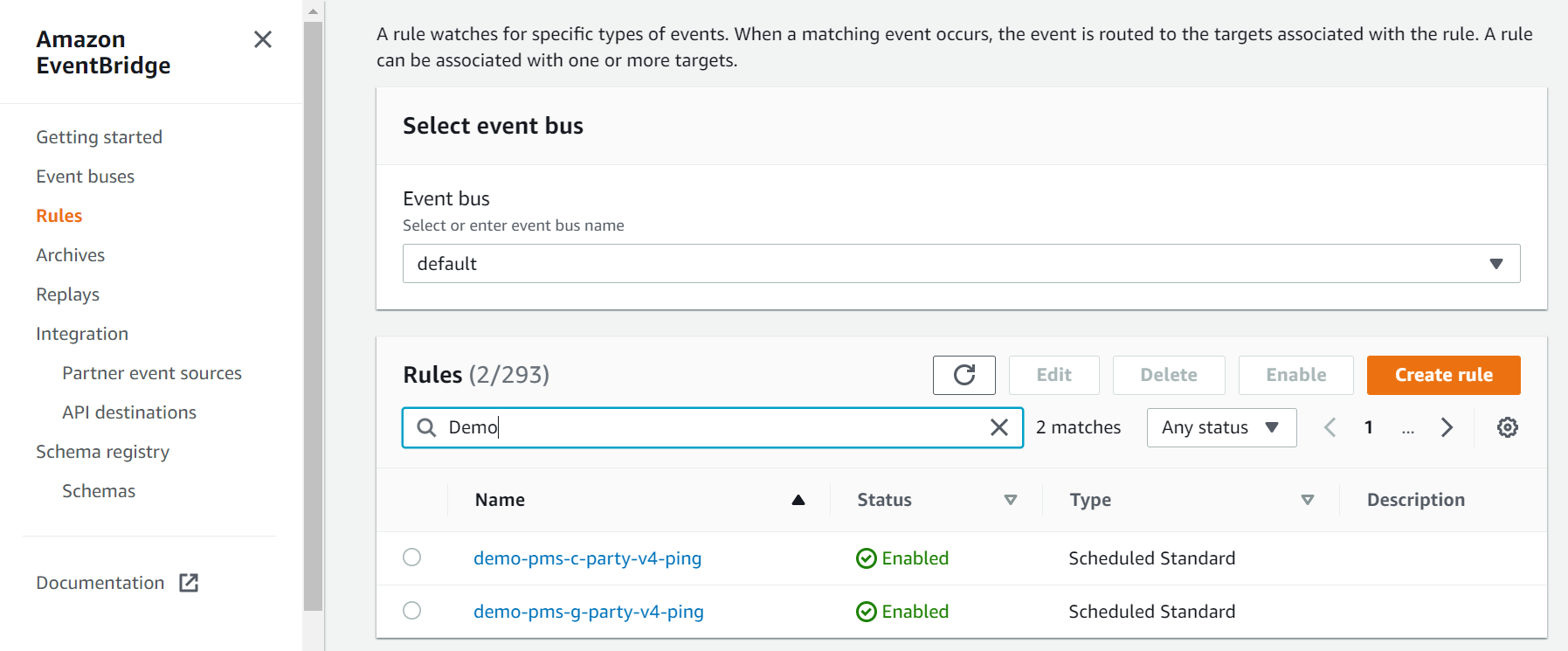
After deployment, check for the Rules ( Events) created under the Amazon Event Bridge.
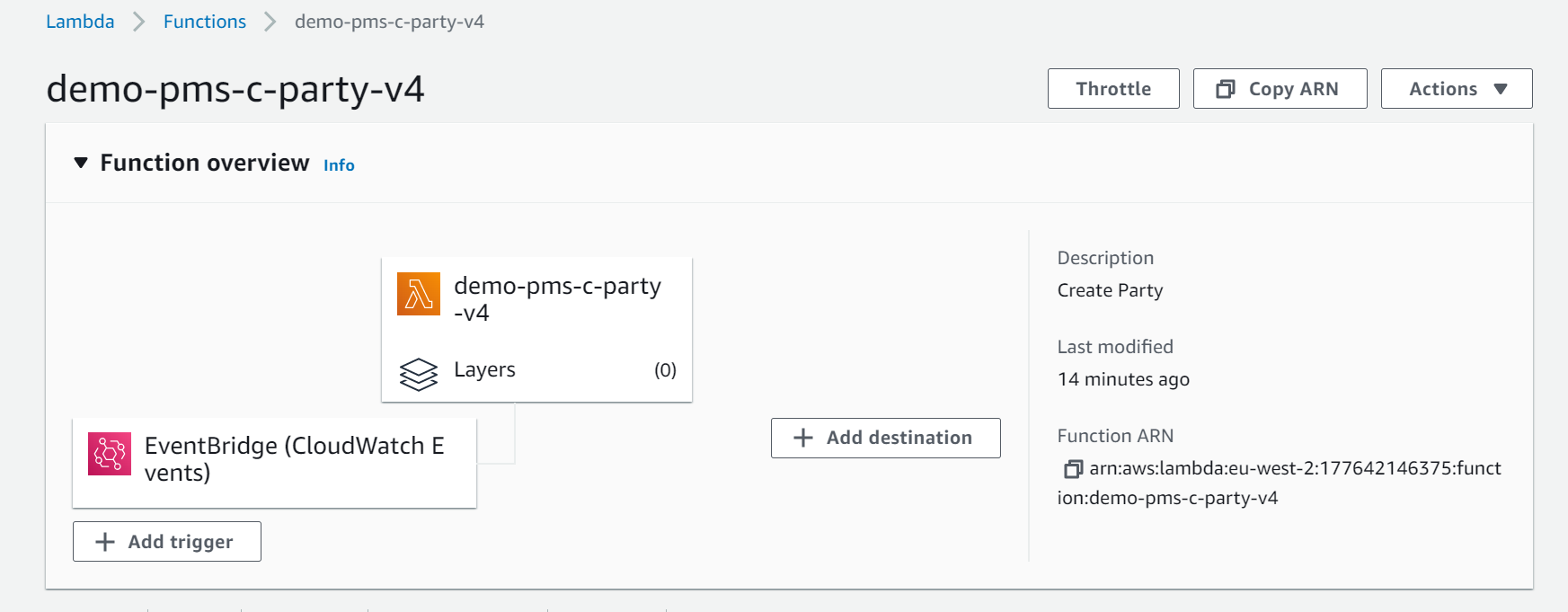
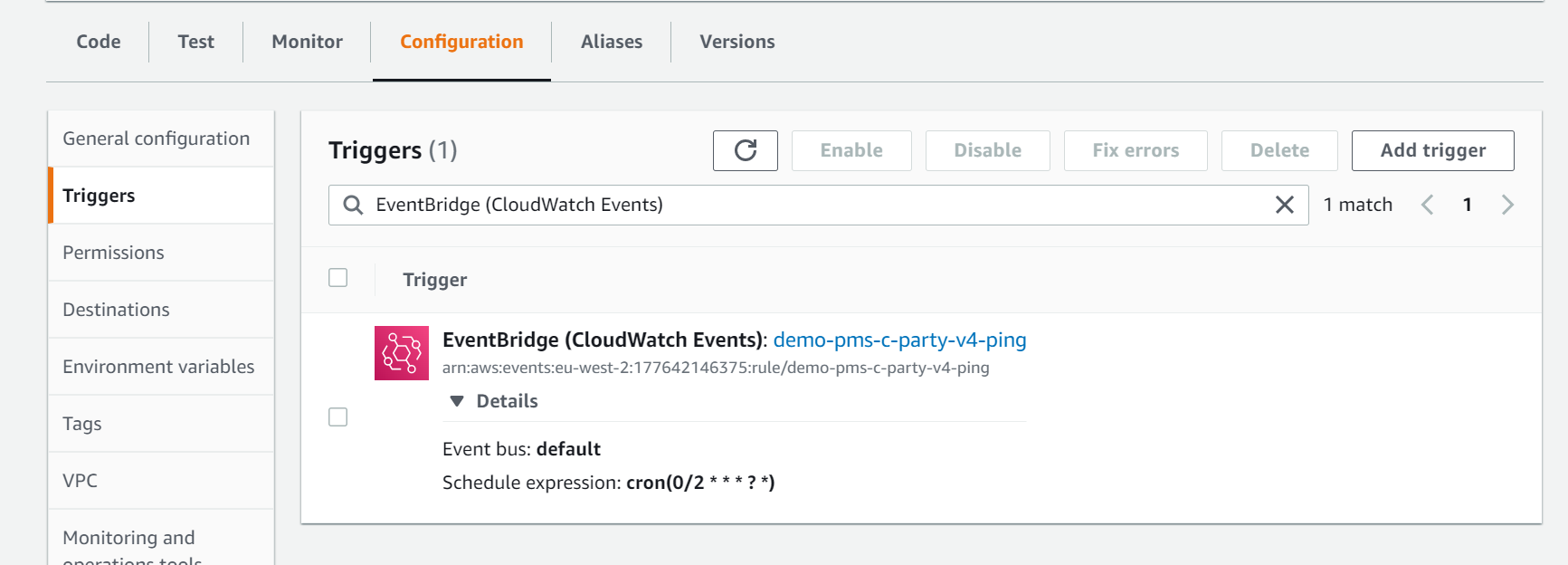
The created rules should be mapped to each Lambda function.
In this topic